What your project managers get
Slides for steering committees, release reviews and portfolio boards, drawn from an Excel plan or typed straight into GanttSnap. No more moving bars by hand before every meeting.
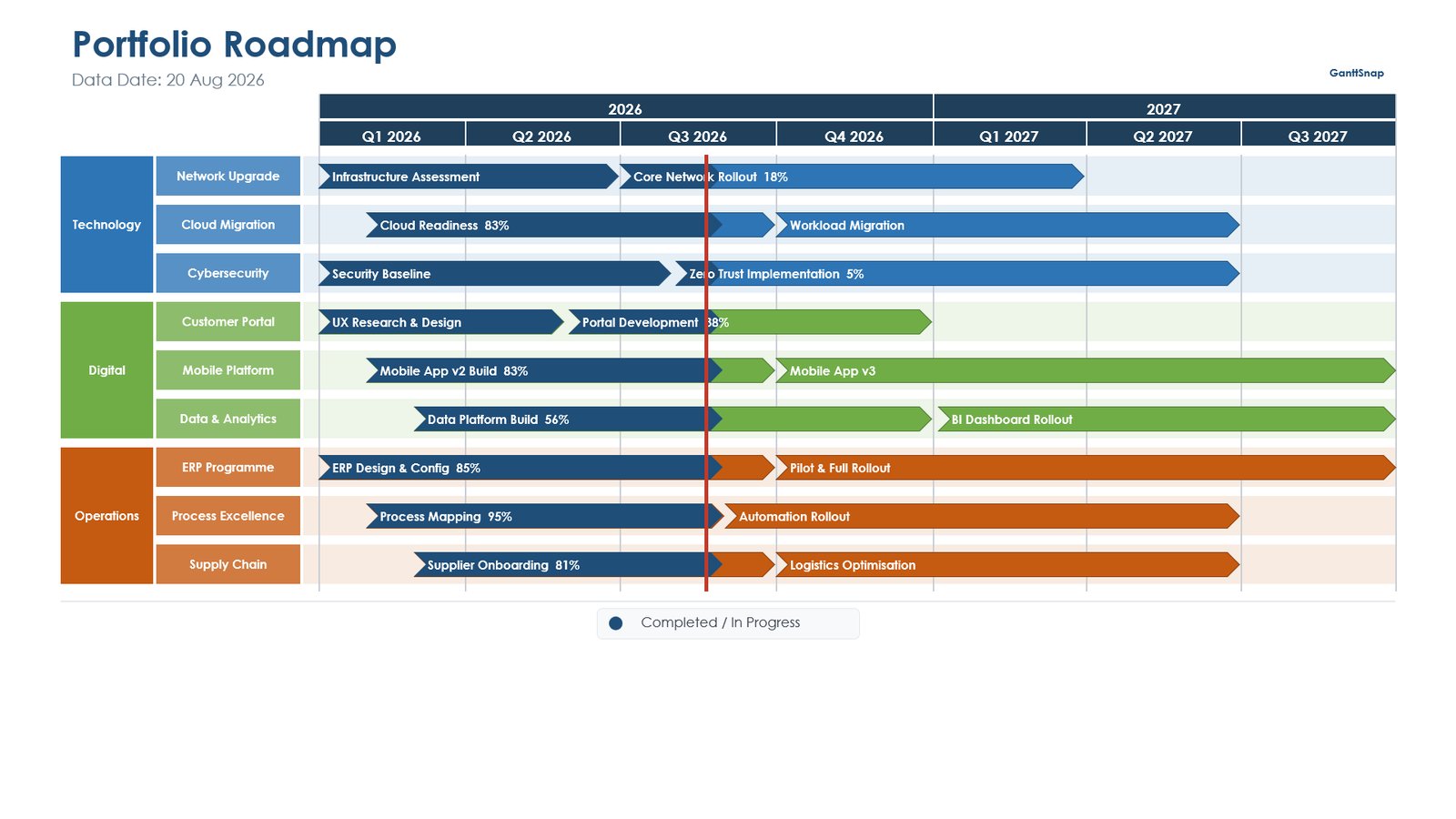
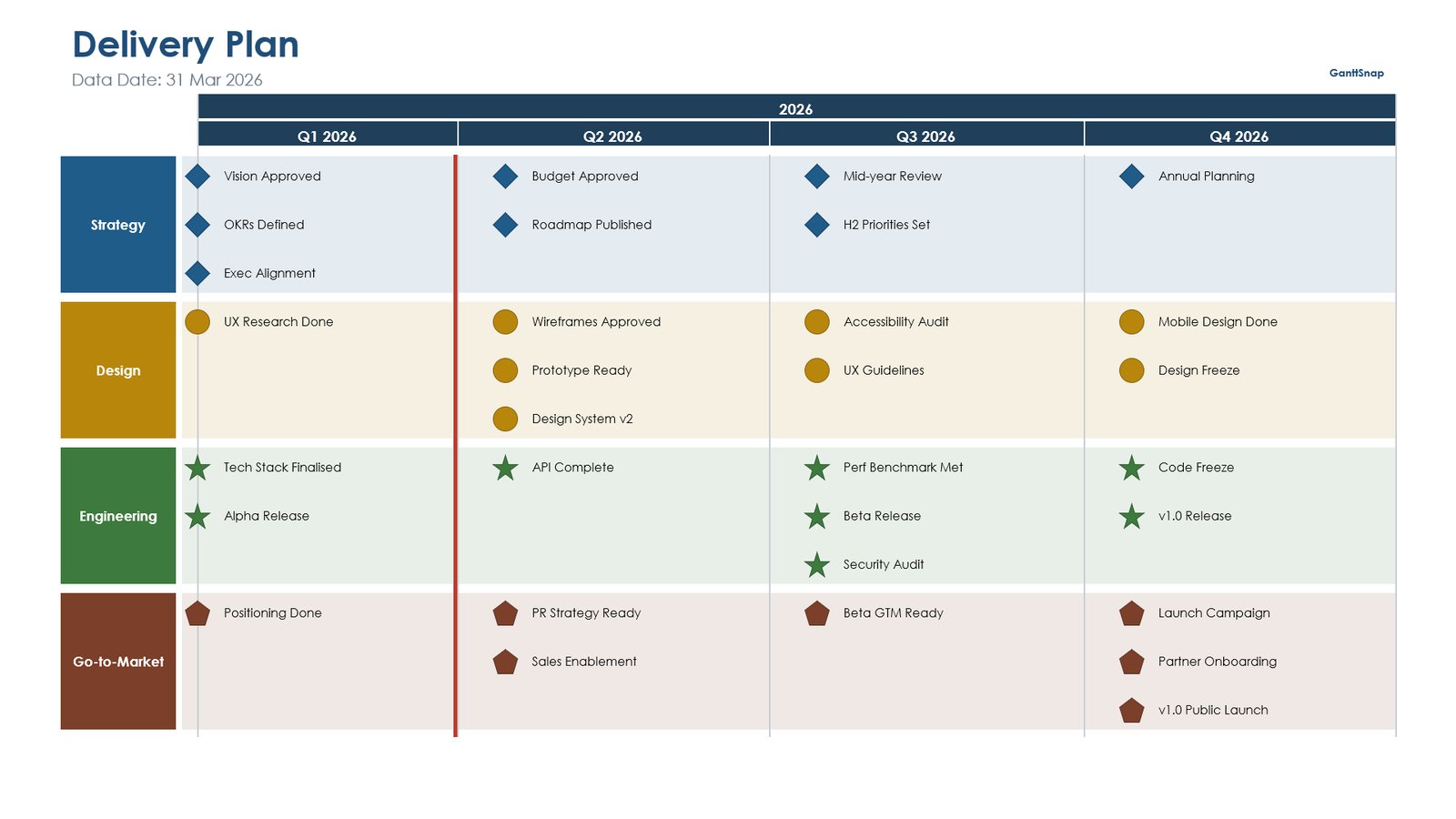
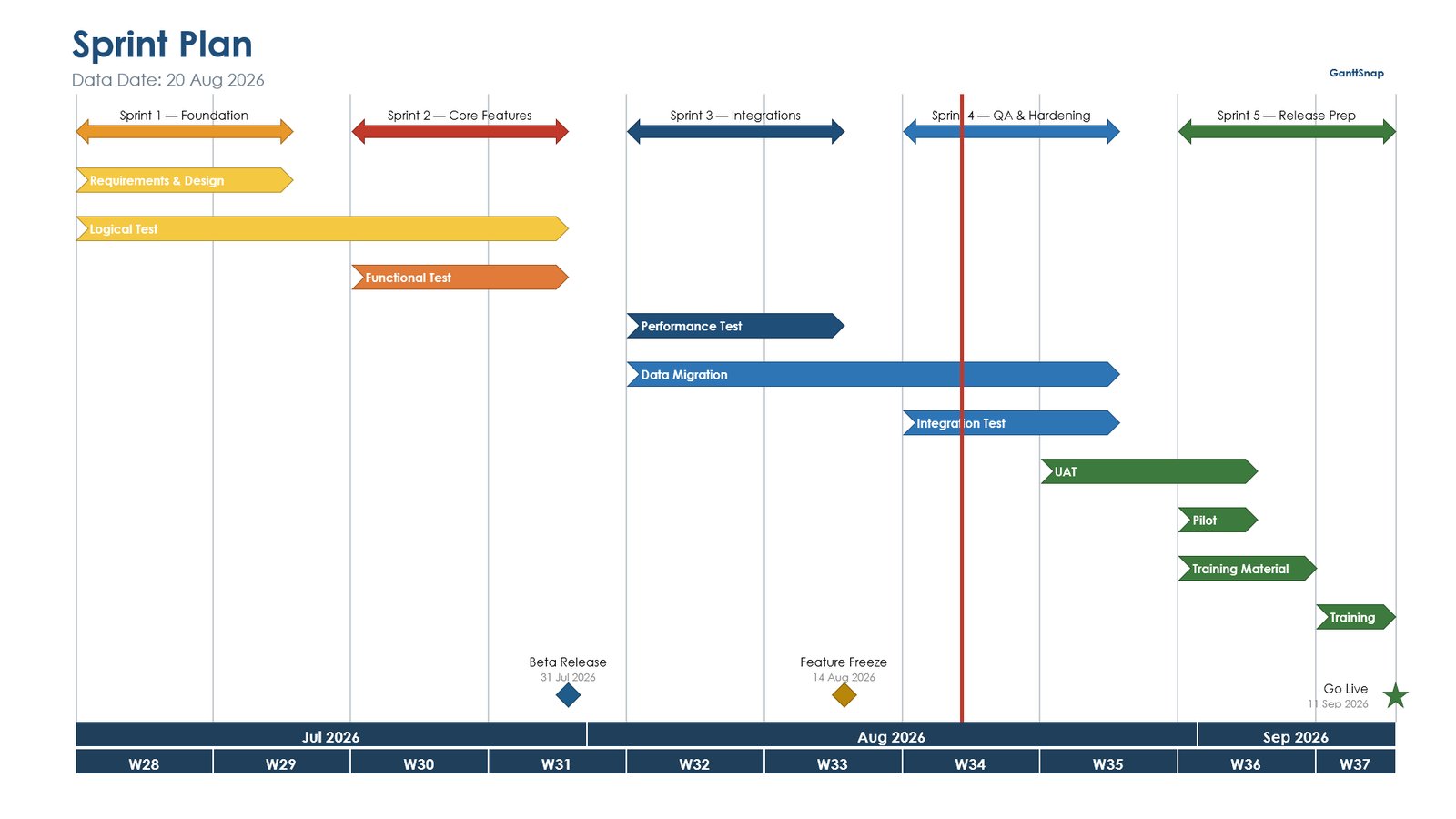
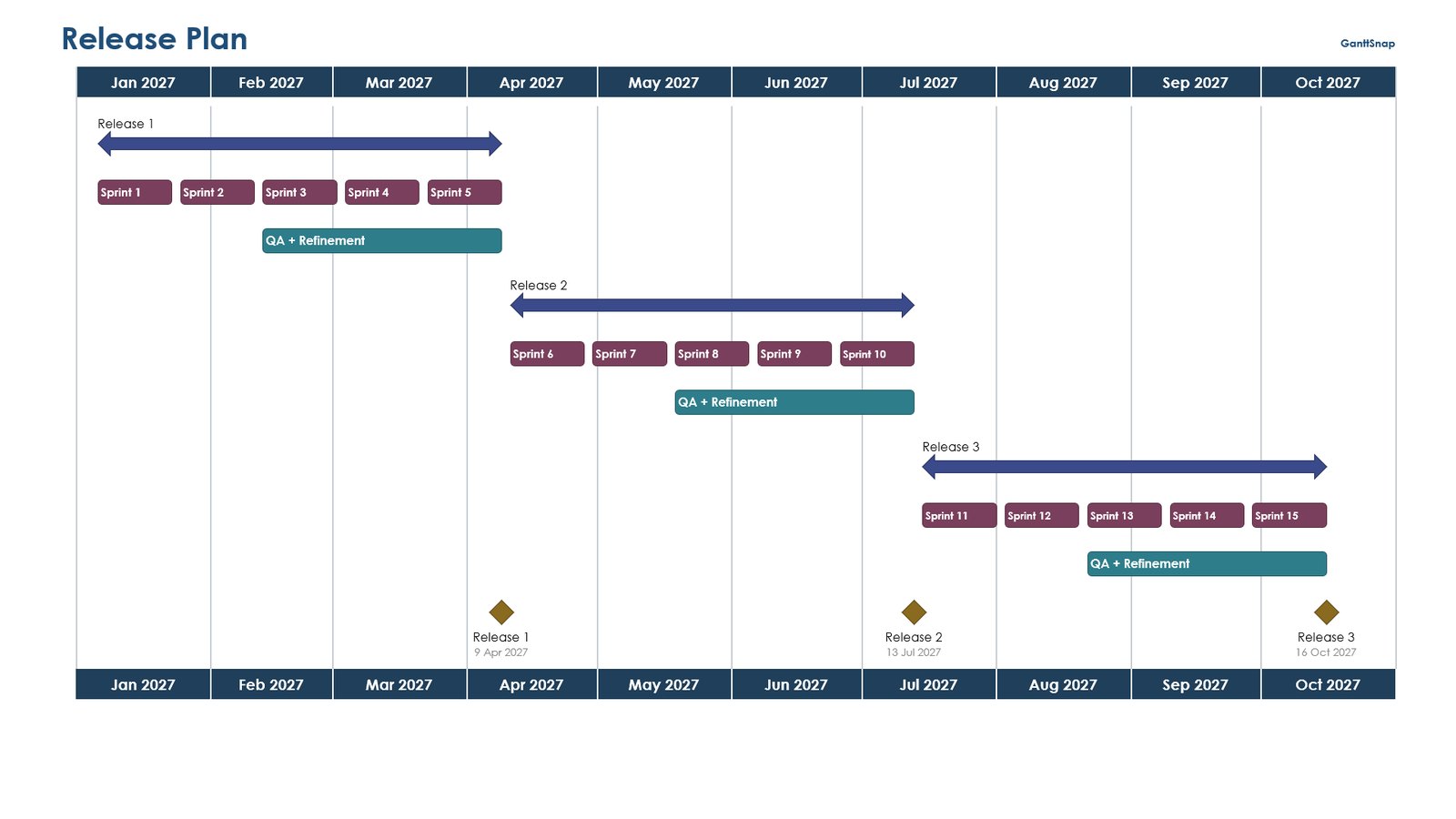
- All templates in Pro, from roadmaps to detailed schedules
- Excel import on every plan, or type into the built-in table
- Swimlanes, milestones and logic links
- Baseline vs actual, with the slip in days
- Your deck's theme colours, so every slide is on brand
- Native PowerPoint shapes, editable after drawing
PMOs that plan in MS Project or Primavera P6 can choose Advanced, which adds schedule import, critical path, DCMA 14-Point and schedule risk analysis.
What IT gets
Central deployment
Deploy to users or groups from the Microsoft 365 admin center. A manifest file is available if you prefer to upload it yourself.
No installer, any platform
A web add-in: nothing to package or patch. Runs in PowerPoint on Windows, Mac and the web.
Data stays on the device
Schedule files are read inside the add-in. GanttSnap stores only the account email and licence status, in the EU.
Minimal permissions
The add-in asks only to read and write the open presentation. No access to mail, files or other apps.
One key, simple seats
One licence key for the team, one device per seat. Seats change self-service; devices unused for 30 days are released automatically.
Rolling it out
Buy a team licence
Choose Pro or Advanced and the number of seats. Pay by card, PayPal or iDEAL, or ask for an invoice.
Deploy the add-in
Microsoft 365 admin center → Settings → Integrated apps, then add GanttSnap for the users or groups you choose.
Share the key
The team key arrives by email. Each user enters it once in GanttSnap to unlock the plan.
Manage seats
Add or remove seats at ganttsnap.com/manage. Billing follows the seat count.
Prefer to deploy from a manifest file? Download it from the install page. Need help with a rollout? Email info@ganttsnap.com.
Team pricing
The same price per seat for every team size, billed yearly.
| Seats | Pro€29 per seat / year | Advanced€59 per seat / year |
|---|---|---|
| 5 seats | €145 / year | €295 / year |
| 10 seats | €290 / year | €590 / year |
| 25 seats | €725 / year | €1,475 / year |
For comparison, ten users on Lucen Timeline Plus (formerly Office Timeline) list at $2,040 a year. See the full comparison.
Security at a glance
| Where schedules are processed | Inside the add-in, on the user's device |
|---|---|
| Schedule data sent to GanttSnap | None |
| What GanttSnap stores | Account email and licence status |
| Hosting | Vercel and Supabase, on AWS in the EU (Ireland) |
| Payments | Stripe; GanttSnap never sees card details |
| Add-in permission | ReadWriteDocument: the open presentation only |
| Encryption | TLS 1.2+ in transit, AES-256 at rest |
| Incident notification | Within 72 hours, in line with GDPR |
| Vendor | GanttSnap, Hoofddorp, Netherlands (KvK 42108634) |
Full details on the security page and in the privacy policy.
Frequently asked questions
Can we deploy GanttSnap centrally?
Yes. In the Microsoft 365 admin center, go to Settings → Integrated apps and add GanttSnap for the users or groups you choose. You can also deploy it from the manifest file on our install page.
What permissions does the add-in need?
ReadWriteDocument: it reads and writes the presentation that is open. It has no access to mail, OneDrive files or other Microsoft 365 apps.
Does any project data leave the device?
No schedule data is sent to GanttSnap. Plans are read inside the add-in on the user's device. GanttSnap stores only the account email and licence status.
Does it work offline?
No. GanttSnap is a web add-in, so PowerPoint needs an internet connection to load it.
Can we pay by invoice or purchase order?
Yes. Buy online by card, PayPal or iDEAL, or email info@ganttsnap.com for an invoice or to send a purchase order.
What happens when someone leaves the team?
Each seat covers one device. A device that has not been used for 30 days is released automatically, so the seat can be used by someone else. You can also change the seat count at any time.
Is there a volume discount?
Not at the moment. Every team pays the same price per seat: €29 a year for Pro and €59 a year for Advanced.